
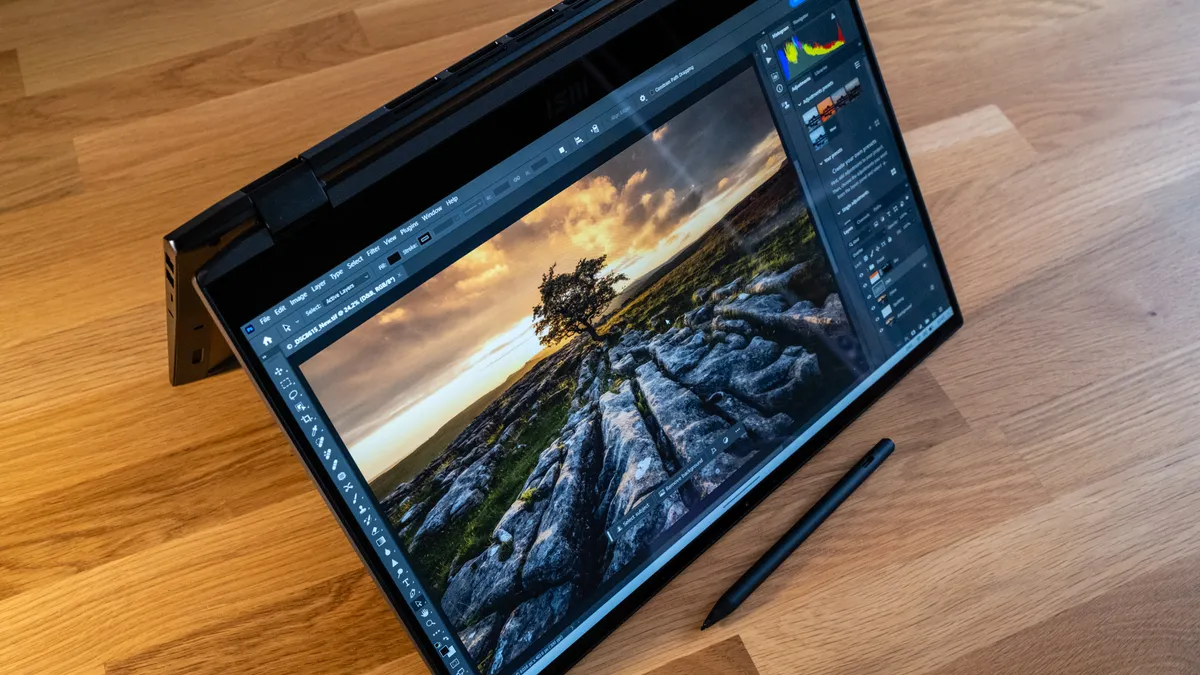
Creating high-quality video content in 2026 requires more than just a good camera. Whether you are editing cinematic 4K footage, producing YouTube videos, creating TikTok content, handling commercial projects, or working on professional documentaries, having one of the best laptops for video editing can dramatically improve your workflow, rendering speed, and overall productivity.
Modern video editing software such as Adobe Premiere Pro, DaVinci Resolve, Final Cut Pro, and After Effects demands serious hardware power. High-resolution footage, advanced color grading, visual effects, and multi-layer timelines consume large amounts of RAM, GPU power, storage bandwidth, and CPU resources. Using an underpowered laptop can lead to frustrating lag, slow rendering times, overheating, and constant crashes during editing sessions.
That is why choosing the right video editing laptop is one of the most important investments for creators, filmmakers, photographers, vloggers, and content creators.
The best laptops for video editing in 2026 combine:
- Powerful multi-core processors.
- Dedicated or advanced integrated graphics.
- High-refresh-rate color-accurate displays.
- Fast SSD storage.
- Long battery life.
- Efficient thermal cooling systems.
- Excellent portability for creators on the move.
In this detailed guide, we explore the best laptops for video editing in 2026 for every budget and workflow. Whether you want the most powerful MacBook Pro, the best Windows editing laptop, a lightweight travel-friendly machine, or a budget editing powerhouse, this guide has you covered.
1.Apple MacBook Pro 14-inch (M5 Max)
Best Overall Laptop for Video Editing
The Apple MacBook Pro 14-inch with the revolutionary M5 Max chip is currently one of the most powerful laptops for video editing in the world. Designed specifically for professional creators, filmmakers, animators, photographers, and video editors, this laptop delivers desktop-class performance inside a sleek and portable chassis.
Apple continues to dominate the creative industry with its highly optimized hardware and software ecosystem. The M5 Max chip brings incredible processing power, improved AI acceleration, faster rendering speeds, and exceptional battery efficiency that significantly outperforms many high-end Windows laptops.
Whether you are editing 4K, 6K, or even 8K RAW footage, color grading HDR videos, applying complex visual effects, or working with multiple timelines simultaneously, the MacBook Pro M5 Max handles everything effortlessly.
One of the biggest reasons creators love this laptop is its near-perfect optimization with Final Cut Pro, Adobe Premiere Pro, DaVinci Resolve, and other professional editing software. Tasks that would normally take several minutes on older laptops are completed in seconds on the M5 Max.
Additionally, the stunning Liquid Retina XDR display offers professional-grade color accuracy, extreme brightness levels, deep contrast, and smooth 120Hz ProMotion technology, making it ideal for professional editing workflows.
If you want the absolute best combination of performance, portability, battery life, and display quality, the MacBook Pro M5 Max is arguably the ultimate video editing laptop in 2026.

Specifications
Pros
Cons
2 MacBook Pro (M4, 2024)
The best laptop for video editing professionals
The Apple MacBook Pro 14-inch (M4 series) is a premium professional-grade laptop built specifically for modern creators who demand a powerful balance of performance, portability, and visual precision. Designed around Apple’s advanced M4, M4 Pro, and M4 Max chipsets, it delivers near-desktop-level performance in a compact and highly efficient form factor, making it an ideal tool for filmmakers, video editors, motion designers, photographers, and content creators working in fast-paced production environments.
This machine is engineered to handle intensive creative workloads with ease, including multi-layer 4K and 8K video editing, high-resolution color grading, complex visual effects, motion graphics, and AI-assisted editing workflows. Whether working in Final Cut Pro, Adobe Premiere Pro, or DaVinci Resolve, the MacBook Pro 14-inch maintains smooth playback, fast rendering, and highly responsive performance even under heavy timelines.
What truly sets it apart is its ability to deliver sustained high performance without compromising efficiency or comfort. The advanced thermal architecture ensures the system remains quiet and cool even during long rendering sessions, while the energy-efficient M4 chips provide exceptional battery life for all-day creative work. Combined with its stunning Liquid Retina XDR display, industry-leading color accuracy, and exceptional brightness, it offers a reliable and highly precise editing environment for professional post-production work both in the studio and on location.

Specifications
Pros
Cons
3.ASUS ProArt P16
Best Windows Laptop for Video Editing
The ASUS ProArt P16 is a premium high-performance Windows workstation designed specifically for professional video editors, filmmakers, motion designers, and digital content creators who require both raw computing power and exceptional color accuracy in their workflow. Built as part of ASUS’s creator-focused ProArt lineup, it goes beyond standard productivity laptops by delivering workstation-grade performance optimized for demanding creative tasks such as 4K and 8K video editing, high-end color grading, complex visual effects, 3D rendering, and heavy multimedia production.
At its core, the ProArt P16 is engineered to support intensive editing software like Adobe Premiere Pro, DaVinci Resolve, and Adobe After Effects, ensuring smooth playback, fast rendering, and stable performance even when working with large, multi-layer timelines and high-resolution RAW footage. Its high-end CPU and dedicated GPU configurations are designed to handle sustained workloads, making it suitable for both studio-based post-production and on-location content creation.
What truly distinguishes the ASUS ProArt P16 is its strong focus on creator workflow efficiency and precision. It integrates professional-grade tools such as the ASUS Dial for intuitive timeline control and real-time parameter adjustments, alongside a stunning 4K OLED touchscreen that delivers deep contrast, vibrant colors, and industry-level color accuracy for precise editing decisions. Combined with its refined thermal design for sustained performance and its strong Windows ecosystem compatibility, the ProArt P16 stands out as one of the most powerful and flexible Windows alternatives to Apple’s MacBook Pro series for serious creative professionals.

Image:ASUS laptop
Specifications
Pros
Cons
4.ASUS TUF A16
Best Budget Laptop for Video Editing
The ASUS TUF A16 is a performance-oriented budget laptop designed to deliver reliable video editing capabilities at an accessible price point, making it an ideal choice for students, beginner video editors, freelancers, and emerging content creators who need solid computing power without investing in expensive high-end workstation machines. Built on ASUS’s durable TUF (The Ultimate Force) gaming platform, it combines strong processing performance with practical features that support everyday creative workflows such as 1080p editing, light 4K video production, social media content creation, and basic motion graphics work.
Powered by AMD Ryzen processors and paired with dedicated NVIDIA graphics options in many configurations, the TUF A16 is capable of handling popular editing tools like Adobe Premiere Pro, DaVinci Resolve, and other entry-to-mid-level creative applications with stable performance. This makes it a dependable machine for rendering timelines, applying basic effects, and managing multi-layer edits without significant lag under moderate workloads.
What makes the ASUS TUF A16 particularly valuable is its strong balance between performance and affordability. While it does not feature the premium materials or ultra-slim design of high-end creator laptops, it compensates with a large high-refresh-rate display, efficient cooling system, and long-term durability designed to withstand heavy daily use. Its gaming-grade architecture also ensures consistent performance under sustained workloads, making it a practical choice for users who prioritize power, reliability, and value over luxury design.

Specifications
Pros
Cons
5.Microsoft Surface Pro 11
Best 2 -in- 1 option
The Microsoft Surface Pro 11 is a next-generation premium 2-in-1 detachable device designed to redefine mobility and creative flexibility for modern content creators, video editors, designers, and professionals who need a seamless transition between laptop productivity and tablet-style creativity. Unlike traditional clamshell laptops, it offers a unique hybrid experience where users can detach the keyboard and instantly switch to a lightweight tablet form factor, making it ideal for sketching ideas, editing timelines, reviewing footage, annotating projects, and presenting creative work using touch input or the Surface Pen with high precision.
At its core, the Surface Pro 11 is powered by Qualcomm’s Snapdragon X Elite platform, a new generation ARM-based processor designed to deliver efficient performance, strong AI capabilities, and extended battery life. This makes it particularly well-suited for mobile-first creators who prioritize portability and energy efficiency while still needing capable performance for everyday editing tasks. It can comfortably handle 4K video editing, light-to-moderate motion graphics, and social media content creation, especially when working with optimized workflows in modern creative applications.
Although it is not positioned as a full desktop replacement or a heavy-duty workstation for complex cinematic production, the Surface Pro 11 excels in flexibility and on-the-go productivity. It is especially valuable for creators who work with short-form video content, travel frequently for shoots, or need a highly portable device for quick edits and client presentations. Combined with its high-resolution display, strong color accuracy, long-lasting battery life, and ultra-thin design, the Surface Pro 11 stands out as one of the most versatile and innovative video editing devices available for mobile and hybrid creative workflows.

Specifications
Pros
Cons
6.Lenovo Yoga Slim 7 Aura Edition
Best Laptop for Travel
The Lenovo Yoga Slim 7 Aura Edition is a premium ultra-portable laptop engineered for professionals, digital creators, and business users who require a powerful yet highly mobile device capable of handling productivity tasks, content creation, and light-to-moderate video editing on the go. It is positioned as a refined travel-friendly machine that prioritizes portability and efficiency without completely compromising on performance, making it an excellent companion for users who frequently move between offices, co-working spaces, and remote work environments.
What sets it apart in the ultra-thin laptop category is its carefully engineered balance between sleek design, strong battery life, and a high-quality color-accurate display. With a lightweight build of approximately 1.5 kg and an ultra-slim profile of around 13.9 mm, it is designed to easily fit into backpacks or carry-on luggage, making it ideal for frequent travelers, field professionals, and creators who need reliable performance outside a fixed workspace. Despite its thin form factor, it maintains solid structural quality and thermal efficiency for sustained everyday use.
Powered by Intel’s Core Ultra architecture, the Yoga Slim 7 Aura Edition also introduces AI-enhanced performance optimization, which intelligently manages workloads, improves responsiveness, and enhances power efficiency depending on usage patterns. This makes it particularly effective for modern productivity demands, including multitasking, web-based creative work, and light video editing in tools like Adobe Premiere Pro or similar editing applications. Combined with its refined display, strong battery life, and intelligent performance tuning, the Lenovo Yoga Slim 7 Aura Edition stands out as a well-rounded premium ultrabook for professionals who value mobility, efficiency, and everyday creative capability.

Specifications
Pros
Cons
Frequent asked questions about video editing laptops
1. What is the most important specification for a video editing laptop?
The most important components are the CPU, GPU, and RAM because the processor handles rendering and encoding, the GPU accelerates effects and playback, and 16GB–32GB of RAM ensures smooth multitasking with large video files.
2. Is a MacBook better than a Windows laptop for video editing?
Both are excellent choices. MacBooks (especially M4/M5 Pro and Max models) are known for optimization, stability, display quality, and battery efficiency, while Windows laptops like the ASUS ProArt P16 offer more GPU power, flexibility, and hardware customization options.
3. How much RAM do I need for video editing in 2026?
- 16GB RAM: Suitable for 1080p editing and light 4K projects
- 32GB RAM: Ideal for serious 4K editing and multitasking
- 64GB+ RAM: Best for professional 6K/8K editing and heavy effects workflows
4. Do I need a dedicated GPU for video editing?
Yes, especially for 4K and higher-resolution workflows. A dedicated GPU such as NVIDIA RTX 4070 or Apple’s high-core GPU options significantly improves rendering speed, playback performance, and effects processing.
5. Is OLED or Liquid Retina better for editing?
Both are professional-grade. OLED displays (like on ASUS ProArt P16) offer perfect blacks and high contrast, while Liquid Retina XDR displays deliver extremely high brightness, excellent HDR performance, and industry-leading color accuracy.
6. Can I edit videos on a budget laptop?
Yes, but with limitations. Budget laptops like the ASUS TUF A16 can handle 1080p editing and light 4K work, but they may struggle with complex effects, long timelines, and high-resolution (6K–8K) projects.
7. Is a 2-in-1 laptop good for video editing?
Yes, for light and mobile editing. Devices like the Microsoft Surface Pro 11 are great for quick edits, content review, and travel workflows, but they are not ideal for heavy professional editing tasks.
8. How much storage do I need for video editing?
A minimum of 1TB SSD is recommended. Professional editors working with 4K/8K footage should consider 2TB–8TB SSD storage or external high-speed drives for better performance and file management.
9. What screen resolution is best for video editing?
- Minimum: 2.5K (2560 × 1600)
- Ideal: 4K or higher
Higher resolutions provide better clarity for color grading, detail work, and precision editing.
10. Is battery life important for editing laptops?
Yes, especially for creators who work on the move. Devices like MacBooks and ultra-efficient laptops such as the Lenovo Yoga Slim 7 Aura Edition offer excellent battery life for extended editing sessions without constant charging.

Conclusion
Choosing the best laptop for video editing in 2026 ultimately depends on your workflow, budget, and level of professionalism, as there is no single device that perfectly fits every type of creator.
At the premium professional level, the Apple MacBook Pro (M5 Max / M4 series) stands out as the most complete video editing machine, delivering exceptional performance, industry-leading display quality, and outstanding battery life, making it ideal for filmmakers, studios, and high-end creators working on 4K, 6K, and 8K production workflows with consistent reliability.
For Windows users seeking maximum performance and flexibility, the ASUS ProArt P16 is the strongest alternative, combining powerful CPU and GPU performance with an NVIDIA RTX 4070, a stunning 4K OLED touchscreen, and creator-focused tools like the ASUS Dial, making it perfect for editors who want workstation-level power, customization, and creative control within the Windows ecosystem.
For budget-conscious creators, the ASUS TUF A16 delivers impressive value by offering strong AMD Ryzen 9 performance, reliable color accuracy, and dependable editing capability, making it suitable for students, beginners, and freelance editors working mainly on 1080p content and light-to-moderate 4K projects.
For maximum portability and travel-focused workflows, the Lenovo Yoga Slim 7 Aura Edition excels as a lightweight, power-efficient ultrabook with excellent battery life, making it ideal for creators who frequently edit on the move or work in flexible environments outside a traditional studio setup.
Finally, the Microsoft Surface Pro 11 fits into a mobile and hybrid creative category, offering a highly flexible 2-in-1 detachable design that is best suited for quick edits, content review, sketching, and lightweight creative tasks rather than intensive professional video production.