
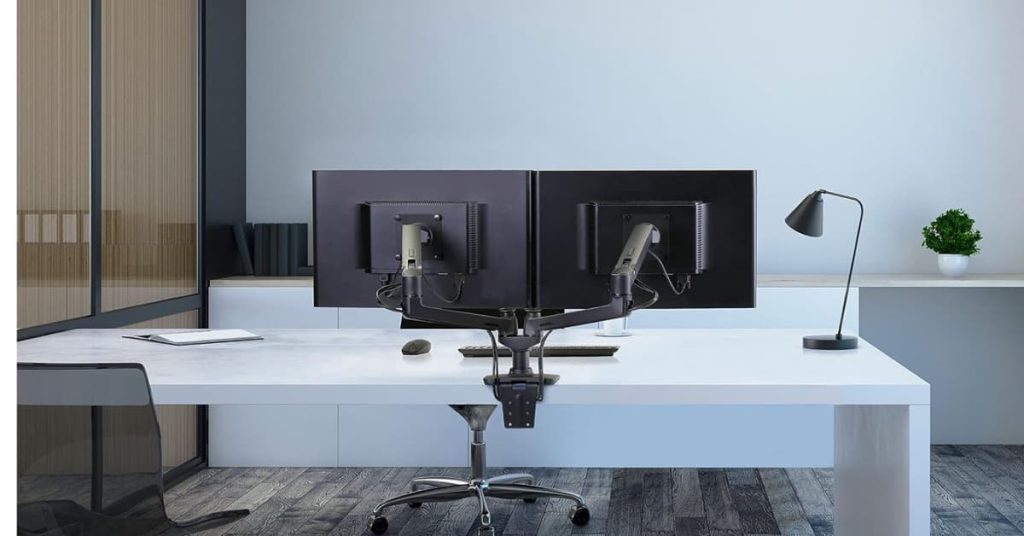
A cheap dual monitor arm droops within a few months. The spring loses tension, your screens sag a little more every week, and you end up propping a paperback under one corner to level it out. That’s the real gap between a bargain-bin clamp mount and an actual dual monitor arm built to hold real weight for years.
This list skips the flimsy tier entirely. Every pick here uses a real gas spring or a counterbalanced mechanical spring, holds at least 19 lbs per arm, and comes from a brand that publishes an actual warranty term instead of a vague satisfaction promise. It spans entry-level to premium, because a mid-range gas-spring arm and a Humanscale clamp mount are solving different problems for different desks.
If you’re outfitting more than the monitors, our broader guide to mid-range ergonomic products for a home office covers a keyboard, mouse, footrest, and one monitor-arm pick together. This list goes deep on monitor arms alone, with three more picks and a wider price range than that single entry covers.
Before you buy, check three things: your desk’s edge thickness (most clamps top out around 1.5 to 2 inches), your monitors’ VESA mounting pattern (75x75mm or 100x100mm covers almost everything sold since 2015), and your actual combined monitor weight. Get those three right and any arm on this list will outlast the monitors sitting on it. If you’re still shopping for the desk itself, check our best home office desks roundup for clamp-friendly options first.
This post contains affiliate links. If you buy through one, we may earn a commission at no extra cost to you.
Our Top Picks at a Glance
| Award | Product | Weight Capacity | Price Range | Deciding Factor |
|---|---|---|---|---|
| Best Overall | Ergotron LX Dual Monitor Arm | 20 lbs each arm | $290 – $330 | 10-year warranty, smoothest gas spring in the group |
| Best for Heavy Monitors | Humanscale M8.1 Dual Monitor Arm | 28 lbs combined | $430 – $630 | Built for displays most arms can’t hold steady |
| Best for Standing Desks | Vari Dual Monitor Arm Series 2 | 19.8 lbs each arm | $280 – $310 | Moves cleanly with a sit-stand desk, 10-year warranty |
| Best for Ultrawide Monitors | BenQ ErgoArm BDH01 | 44 lbs combined | $260 – $290 | Reinforced plate protects the desktop under a heavy clamp |
| Best Value | HUANUO Dual Monitor Stand HNDS7 | 26.4 lbs per arm | $110 – $150 | Built-in USB ports and a 5-year warranty at a mid-range price |
| Best for Small Desks | WALI Vertical Dual Monitor Arm | 44 lbs combined | $110 – $130 | Vertical stacking uses half the desk width of a side-by-side arm |
| Best Budget-Friendly Mid-Range | HUANUO FlowLift Dual Monitor Stand | 19.8 lbs each arm | $55 – $70 | A real gas spring under $60, which is genuinely rare |
How Much Weight Can a Dual Monitor Arm Actually Hold?
Most gas-spring dual monitor arms hold 15 to 26 lbs per arm, enough for two 27-inch monitors at 12 to 18 lbs each. Push past that with a 32-inch or ultrawide display and you need an arm rated for at least 25 lbs per side, or a combined-capacity design built for two heavy screens at once.
The number on the box is a ceiling, not a comfortable working range. An arm rated for 20 lbs per side holding an 18-lb monitor will still droop over months, because gas springs lose a little pressure over time. Buy for your actual monitor weight plus a few pounds of headroom, not the arm’s maximum rating.
Weight capacity isn’t just about avoiding sag. OSHA’s guidance on computer workstations puts the top of the screen at or just below eye level, and an underpowered arm that droops over time quietly undoes that setup a few degrees at a time. If you’re building out the rest of the desk for posture at the same time, our guide to setting up a home office covers the full setup, not just the monitors.
Clamp Mount or Grommet Base: Which One Fits Your Desk?
A clamp mount grips the back edge of a solid desk up to about 1.5 to 2 inches thick and needs no drilling, which is why it ships as the default on nearly every arm here. A grommet base runs a bolt down through an existing cable-management hole and holds steadier under a heavy dual-monitor load, but only works if your desk already has that hole in the right spot.
Glass desks, desks thicker than 2 inches, and desks with a rounded or beveled front edge are the three situations where a clamp mount fails or looks wrong. Check your desk before you check the monitor spec sheet.
Our Picks, Ranked
1. Ergotron LX Dual Monitor Arm – Best Overall

| Feature | Specification Details |
|---|---|
| Weight Capacity | 7 to 20 lbs per arm (14 to 40 lbs combined) |
| Physical Dimensions | 13 in height adjustment, up to 25 in extension per arm, VESA 75x75mm or 100x100mm |
| Warranty Length | 10 years |
| Box Contents | Two arm assemblies, 13 in pole, two-piece desk clamp and grommet mount, fastening kit |
Ergotron built the LX platform for offices that never call a repairman, and the dual version carries that reputation over. The gas spring holds position with one finger of pressure and doesn’t drift down over the next few hours the way cheaper springs do.
Setup takes about 15 minutes with the included tools. The desk clamp handles desks up to roughly 3.5 inches thick, wider than most of the field, and the grommet base is included for anyone who’d rather bolt it down.
The 10-year warranty is the real story. Most of the field caps out at 3 to 5 years. Ergotron backs a mechanism it clearly expects to outlast the monitors mounted on it, and owner reports going back a decade support that confidence.
Pros
- ✓ 10-year warranty, more than double most competitors
- ✓ Gas spring holds position with zero drift after adjustment
- ✓ Desk clamp fits unusually thick desks, up to about 3.5 in
- ✓ VESA 75/100 covers nearly every monitor sold since 2015
- ✓ Cable management channel keeps both monitors’ cords out of view
Cons
- × Costs two to five times more than a mid-range gas-spring arm
- × Matte black finish shows dust and fingerprints more than polished aluminum
Buy This If: you want a monitor arm you’ll never think about again and don’t mind paying for the warranty. Skip This If:you’re outfitting a budget home office and the price gap over a mid-range pick isn’t worth it yet.
2. Humanscale M8.1 Dual Monitor Arm – Best for Heavy Monitors

| Feature | Specification Details |
|---|---|
| Weight Capacity | Up to 28 lbs combined with the dual crossbar |
| Physical Dimensions | Not published by manufacturer |
| Warranty Length | Not published by manufacturer |
| Box Contents | Two-piece clamp mount base, dual crossbar, VESA mounting plates, hardware kit |
Humanscale’s M8.1 is the arm ergonomics consultants spec for offices with genuinely heavy monitors, curved ultrawides, color-accurate displays with built-in calibration hardware, and anything else that pushes past what a standard dual arm can carry.
The mechanism uses a counterbalanced spring rather than a gas cylinder, which means no gas cartridge to eventually lose pressure. It’s also one of the few dual arms rated to hold two full-size monitors at their combined weight rather than a per-arm limit, which matters once you’re above 24 inches per screen.
It’s a clamp-mount design with a two-piece base, so it needs a solid desk edge to grip. Humanscale’s own product pagedoesn’t list exact pole dimensions or a specific warranty term, only a link to its general terms and conditions, which is worth a call to their support line before you buy if either number matters to your decision.
Pros
- ✓ Rated for genuinely heavy monitors most arms can’t hold level
- ✓ Counterbalanced spring mechanism, no gas cartridge to lose pressure
- ✓ Widely specified in commercial ergonomics programs, not just home offices
- ✓ Available in multiple finishes to match office furniture
Cons
- × The most expensive arm on this list by a wide margin
- × Warranty term and full dimensions aren’t published on Humanscale’s own site
Buy This If: your monitors are heavier or larger than a standard 24 to 27-inch pair and you need a mechanism built for that load. Skip This If: you’re running two standard 24 to 27-inch monitors that any mid-range arm on this list can already handle.
3. Vari Dual Monitor Arm Series 2 – Best for Standing Desks

| Feature | Specification Details |
|---|---|
| Weight Capacity | 19.8 lbs per arm, up to 27 in screens |
| Physical Dimensions | Desk clamp fits desks 0.5 to 1.5 in thick; full pole dimensions not published by manufacturer |
| Warranty Length | 10 years |
| Box Contents | Dual-arm assembly, universal desk clamp, VESA mounting hardware, tool kit |
Vari built its name on standing desks, and this arm is tuned for exactly that use case: it holds its height setting through the daily transition from sitting to standing without needing to be re-tensioned or re-adjusted.
The 360-degree rotation with an optional 180-degree limiter is a small detail that matters more than it sounds. In a tighter desk setup, the limiter stops a monitor from swinging into a wall or a second monitor when you nudge it.
Assembly is genuinely quick. The universal clamp fits desks from 0.5 to 1.5 inches thick and comes with every tool needed, no separate trip to find a hex key. Vari backs it with a 10-year warranty, matching Ergotron as the longest term in this roundup.
Pros
- ✓ 10-year warranty, tied for the longest in this roundup
- ✓ Rotation limiter keeps monitors from swinging into walls in tight setups
- ✓ Holds height through repeated sit-stand desk transitions without drift
- ✓ Universal tool kit included, no separate hardware needed
Cons
- × Desk clamp tops out at 1.5 in, narrower than Ergotron’s range
- × Full pole and extension dimensions aren’t listed on Vari’s product page
Buy This If: you run a sit-stand desk and want an arm that won’t need re-tensioning every time you change height. Skip This If: your desk edge is thicker than 1.5 inches, since the clamp won’t grip it.
4. BenQ ErgoArm BDH01 – Best for Ultrawide Monitors

| Feature | Specification Details |
|---|---|
| Weight Capacity | 44 lbs combined, screens up to 35 in |
| Physical Dimensions | Fits desks 12 to 45mm (0.47 to 1.77 in) thick; full arm reach not published by manufacturer |
| Warranty Length | 3 years |
| Box Contents | Dual-arm assembly, clamp and grommet mounting base, reinforcement desktop plate, VESA hardware |
BenQ built the ErgoArm for monitor sizes most dual arms weren’t designed around: two 35-inch ultrawides, or one large ultrawide paired with a standard second screen, at a combined 44 lbs.
The reinforcement plate under the clamp is the detail worth calling out. It spreads the clamping pressure across a wider footprint than a standard clamp foot, which matters on a laminate or veneer desk that would otherwise dent under a heavy dual-arm clamp over time.
At 12 to 45mm, the desk thickness range is narrower than most gas-spring competitors, so measure your desk edge before ordering. The 3-year warranty is respectable but well short of the Ergotron and Vari picks above it in this list.
Pros
- ✓ 44 lbs combined capacity, among the highest in this roundup
- ✓ Reinforcement plate protects the desktop under heavy clamp pressure
- ✓ Rated for screens up to 35 in, covering most ultrawide monitors
- ✓ VESA 75×75 and 100×100 covers nearly all compatible displays
Cons
- × Desk clamp range (12 to 45mm) is narrower than most competitors
- × 3-year warranty, shorter than the Ergotron and Vari picks above
Buy This If: you’re running one or two large ultrawide monitors and need real combined weight capacity. Skip This If:your desk edge falls outside the 12 to 45mm clamp range.
5. HUANUO Dual Monitor Stand HNDS7 – Best Value

| Feature | Specification Details |
|---|---|
| Weight Capacity | 26.4 lbs per arm, 13 to 40 in screens |
| Physical Dimensions | Not published by manufacturer |
| Warranty Length | 5 years |
| Box Contents | Dual-arm assembly, C-clamp and grommet base, built-in USB hub cable, VESA hardware |
The HNDS7 is the arm that makes the premium picks above it hard to justify for most home offices. It holds 26.4 lbs per arm, more than the Ergotron and Vari picks, at roughly a third of the price.
The built-in USB pass-through is a genuinely useful extra most arms in this price range skip. It routes a USB cable up through the arm to a port near the monitor, so a webcam, headset dongle, or flash drive doesn’t need a cable running back to the tower.
HUANUO backs it with a 5-year warranty, unusually long for a brand at this price point. It won’t match Ergotron’s decade-long track record, but it’s a real commitment, not a 90-day placeholder.
Pros
- ✓ 26.4 lbs per arm capacity, higher than several pricier competitors
- ✓ Built-in USB pass-through, rare at this price
- ✓ 5-year warranty backs a genuinely mid-range product
- ✓ C-clamp and grommet base both included
Cons
- × No published pole or extension dimensions to check fit in advance
- × Build feels noticeably lighter-duty than the premium picks above it
Buy This If: you want most of the premium picks’ capacity without the premium price. Skip This If: you want the specific 10-year track record that only Ergotron and Vari offer here.
6. WALI Vertical Dual Monitor Arm – Best for Small Desks

| Feature | Specification Details |
|---|---|
| Weight Capacity | Up to 44 lbs combined, 13 to 49 in screens |
| Physical Dimensions | Desk clamp fits 0.39 to 1.96 in (10 to 50mm) thick desks |
| Warranty Length | 3 years |
| Box Contents | Vertical dual-arm assembly, C-clamp and grommet base, VESA hardware |
Most dual arms mount side by side, which eats roughly 50 inches of desk width once both monitors are extended. WALI’s vertical stacking design mounts one screen above the other from a single pole, cutting that footprint by close to half.
That makes it the obvious pick for a small desk, a corner setup, or anyone who wants one monitor as a primary display and the second stacked above for reference material, chat, or a secondary window. The 44-lb combined rating is high for the price, and the clamp’s wide range (0.39 to 1.96 inches) fits nearly any desk edge.
It’s a narrower use case than a side-by-side arm, since reading a stacked top monitor means tilting your head up slightly. For a primary-plus-reference setup, that’s a fair trade for the desk space it saves.
Pros
- ✓ Vertical stacking uses roughly half the desk width of a side-by-side arm
- ✓ 44 lbs combined capacity, high for the price
- ✓ Desk clamp range (0.39 to 1.96 in) fits nearly any desk edge
- ✓ Genuinely useful for a small desk or corner setup
Cons
- × Stacked layout means tilting your head to read the top monitor
- × 3-year warranty, shorter than the Ergotron and Vari picks
Buy This If: your desk is small and one monitor can work as a reference or chat screen stacked above the primary. Skip This If: you want both monitors at the same eye level side by side.
7. HUANUO FlowLift Dual Monitor Stand – Best Budget-Friendly Mid-Range

| Feature | Specification Details |
|---|---|
| Weight Capacity | 4.4 to 19.8 lbs per arm, 13 to 32 in screens |
| Physical Dimensions | Not published by manufacturer |
| Warranty Length | 5 years |
| Box Contents | Dual-arm assembly, C-clamp and grommet base, VESA hardware |
At the entry-level price point, most dual monitor arms use a cheap mechanical spring that sags within a year. The FlowLift is one of the few at this price with an actual gas spring, the same mechanism the premium arms above it use.
It’s rated for two 27-inch monitors at up to 19.8 lbs each, which covers the vast majority of home office setups. The tradeoff for the price is a narrower size range, topping out at 32 inches, so it’s not the pick for anything ultrawide or above 27 inches.
For a first dual monitor arm, or a second desk that doesn’t need premium hardware, this is the one to start with. HUANUO backs it with the same 5-year warranty as the HNDS7 above it.
Pros
- ✓ Real gas spring at a price where most competitors use a cheap mechanical spring
- ✓ 5-year warranty, unusually long for an entry-level price
- ✓ Covers the vast majority of standard 24 to 27-inch dual-monitor setups
- ✓ C-clamp and grommet base both included
Cons
- × Tops out at 32 in screens, not built for ultrawide or larger displays
- × No published dimensions to check reach and clearance in advance
Buy This If: this is your first dual monitor arm or you’re outfitting a second desk on a tight budget. Skip This If: you’re running anything above 27 inches or an ultrawide display.
Buying Guide: What Actually Causes Buyer’s Remorse
The three complaints that show up again and again in owner reviews aren’t about smoothness or looks. They’re about fit.
Desk clamp thickness is the first check, not an afterthought. Every arm on this list lists a clamp range, and it’s usually 0.5 to 2 inches. Measure your desk’s back edge before you order, not after the box arrives. A glass desk, a desk thicker than 2 inches, or a beveled front edge rules out a clamp mount entirely and needs a grommet-only design instead.
Ongoing cost is close to zero, which is unusual for a home office accessory. A dual monitor arm has no consumables, no subscription, and no proprietary battery. The one real ongoing cost is the gas spring itself. On a cheap arm, that spring loses pressure within a year. On every pick above, it’s rated to hold tension for years, which is what the warranty length is actually insuring.
What’s missing from the box matters more than the spec sheet. VESA screws are usually included, but a longer set for a thicker monitor bezel sometimes isn’t. If your monitor’s VESA plate sits recessed behind a thick bezel, check the included screw length against your monitor’s manual before assuming the included hardware will reach.
A monitor arm is also the easiest fix for a messy desk. Lifting both screens off the surface frees up the exact spot where cords used to pool. Pair it with our cable management solutions for home office desks if the cords under the desk are still a tangle after the arm goes in.
Products We Considered But Didn’t Include (And Why)
Mount-It! Proflex Series Stacking Dual Ultrawide Monitor Arm. A genuinely capable heavy-duty option with a gas spring and USB-C pass-through, but its current owner review base is too thin to back a confident recommendation next to picks with thousands of verified buyers at a similar price.
VIVO STAND-V120K Pneumatic Dual Ultrawide Arm. A reasonable mid-range pick for ultrawide monitors, but it duplicates the BenQ ErgoArm’s use case at a similar price without exceeding it on weight capacity, warranty, or desk protection.
Frequently Asked Questions
Do all dual monitor arms fit any monitor? Only if your monitor has a VESA mounting pattern, either 75x75mm or 100x100mm, which covers nearly every monitor sold since 2015. Check the back of your monitor or its spec sheet for “VESA compatible” before buying an arm.
Is a gas spring arm better than a mechanical spring arm? Yes, for most buyers. A gas spring holds a set height with one finger of pressure and doesn’t need re-tensioning. A mechanical spring is cheaper but loses tension faster, which is why the cheapest clamp-mount arms usually sag within a year of daily use.
Can a dual monitor arm hold two different-sized monitors? Yes, as long as both fall within the arm’s per-arm weight rating and both have a compatible VESA pattern. A 24-inch monitor and a 32-inch monitor on the same arm is common and works fine.
Do I need to drill into my desk to install a monitor arm? No, if you use the clamp mount that ships with nearly every arm on this list. Drilling is only needed for the grommet base option, and that’s for desks that already have a cable-management hole or for anyone who wants a more permanent, lower-profile mount.
How much desk space does a dual monitor arm actually save? Removing two monitor stands typically frees up 8 to 12 inches of desk depth, since the arm mounts at the back edge instead of sitting flat on the surface. A vertical stacking arm like the WALI pick above saves even more width, since both monitors share one footprint instead of two.
Conclusion
The Ergotron LX Dual Monitor Arm earns Best Overall for one reason: a 10-year warranty that no other pick in this price range matches, backing a gas spring that genuinely holds its adjustment. If your monitors are heavier or larger than a standard pair, the BenQ ErgoArm BDH01 and Humanscale M8.1 are built for that load specifically, not just rated for it on paper.
If you’re not ready for a premium pick, start with the HUANUO FlowLift. It’s a real gas-spring arm at the lowest price in this list, and it’ll outlast a bargain-bin clamp mount by years, not months.
A monitor arm is one piece of a posture fix, not the whole thing. Pair it with our best affordable ergonomic chair for a home office and a good desk lamp if eye strain and a sore lower back are still part of the problem.
