
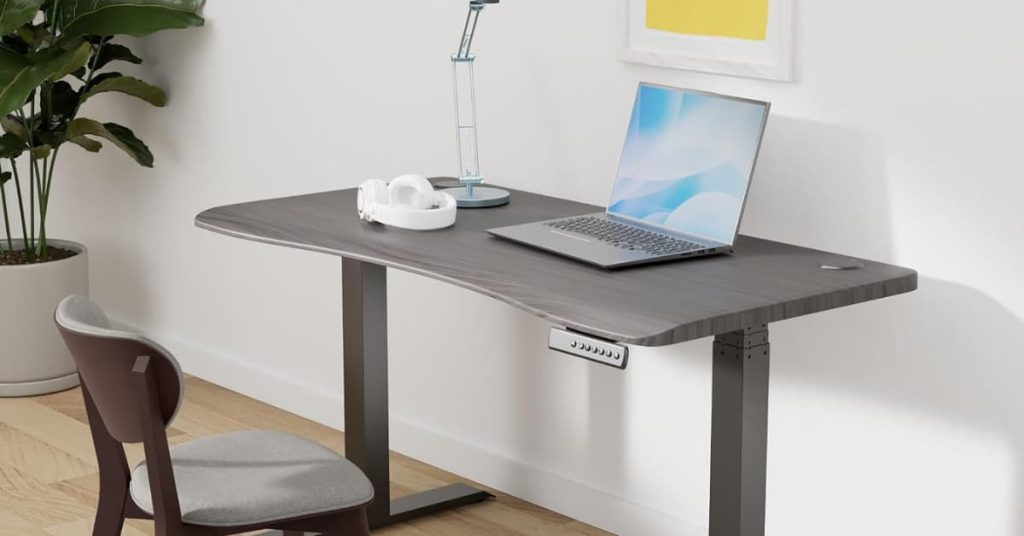
A $250 standing desk works fine for about a year. Then the monitor starts shaking every time you type at standing height. One leg lifts a beat slower than the other. And the warranty ran out months ago.
That is the problem the best premium standing desks solve. Spending $550 to $1,100 doesn’t buy you a fancier desk. It buys a stiffer frame, a wider height range and a warranty measured in decades instead of a single year. It also buys motor coverage measured in years, not months.
The six desks below are the ones long-term owners keep recommending at this price. Each one wins a specific trade-off: stability, price, room size, height or cable control. Each one is sold and shipped on Amazon in the US.
If you’re still planning the whole room, start with our guide on how to set up a home office. The desk is the biggest piece of that puzzle, and this page covers it in depth.
Disclosure: SmartVentureHub earns a commission from qualifying Amazon purchases made through links on this page, at no extra cost to you.
Our Top Picks at a Glance
| Award | Product | Height Range | Price Range | The Deciding Factor |
|---|---|---|---|---|
| Best Overall | UPLIFT Desk V3 2-Leg | 21.6 – 47.7 in | $640 – $900 | 15-year warranty, 355 lb lift capacity |
| Best Mid-Range Pick | Vari Ergo Electric Standing Desk 54×26 | 25 – 50.5 in | $550 – $700 | Lifetime warranty, curved front edge |
| Best for Dual Monitors | Vari Classic Electric Standing Desk 60×30 | 25.5 – 50.5 in | $800 – $1,000 | 60 x 30 in top, 2,000+ owner ratings |
| Best for Small Rooms | Branch Duo Standing Desk | 28 – 47.3 in | $550 – $800 | 36 in width option, frameless base |
| Best for Tall Users | Desktronic HomePro Standing Desk 72×30 | 25.4 – 51.2 in | $700 – $900 | Tallest max height here, 352.7 lb lift capacity |
| Best for Gaming Setups | Secretlab MAGNUS Pro | 25.6 – 49.2 in | $1,000 – $1,300 | Power column inside the leg, full-length cable tray |
The 6 Best Premium Standing Desks
1. UPLIFT Desk V3 2-Leg Standing Desk – Best Overall

| Feature | Specification Details |
|---|---|
| Physical Dimensions | 48.0 x 30.0 in desktop (42 to 72 in widths sold), 115 lbs |
| Warranty Length | 15 years on the entire desk, electrical components included. UPLIFT pays warranty shipping in year one only (contiguous US). |
| Box Contents | Frame, laminate desktop, Advanced 1-Touch memory keypad, wire management tray, wire grommets, rocker board |
| Height Range | 21.6 – 47.7 in (per UPLIFT’s V3 frame spec sheet) |
The UPLIFT V3 is the desk to buy if you want one frame that will outlast your next two monitors. The numbers back that up. UPLIFT’s V3 spec sheet rates the dual motors at a 355 lb lift capacity. It moves at 2 inches per second and runs at 48 dB or less. That’s quieter than a normal conversation.
The V3 keeps UPLIFT’s C-frame design. Both legs sit toward the back edge of the desk. That leaves open space where your knees and chair arms go, which a T-frame eats into at the corners.
The 15-year warranty is the other reason it wins. The UPLIFT warranty page covers nearly every product for 15 years. The Amazon listing spells out that motors and electronics are included. There’s one catch in the fine print. After year one, you pay the shipping on warranty parts, and a replacement motor for a 115 lb desk isn’t light.
The honest trade-off is the upsell. The Amazon listing ships with a fixed bundle. UPLIFT’s own site offers far more desktops, frame colors and add-ons, so the Amazon version gives you less choice.
Pros
- ✓ 355 lb lift capacity, the highest in this lineup
- ✓ 15-year warranty covering motors and electronics
- ✓ C-frame legs leave open knee and chair-arm space
- ✓ Wire tray, grommets and a rocker board in the box
- ✓ 48 dB or quieter while moving
Cons
- × Fewer desktop and color options on Amazon than on UPLIFT’s site
- × You pay warranty shipping after the first year
- × At 115 lbs, it’s a two-person carry up the stairs
Buy This If: you run two monitors or a heavy desktop PC, and you want a desk you won’t replace for a decade.
Skip This If: you need a desk narrower than 42 inches. The V3 frame’s minimum width is 41.3 inches.
2. Vari Ergo Electric Standing Desk 54×26 – Best Mid-Range Pick

| Feature | Specification Details |
|---|---|
| Physical Dimensions | 54.0 x 26.0 in desktop, 1.25 in thick, 104.1 lbs |
| Warranty Length | Limited lifetime for the original buyer, US orders only. Covers motors and electrical components. Not transferable. |
| Box Contents | Desk base, desktop, cable management tray, all assembly tools |
| Height Range | 25 – 50.5 in |
The Vari Ergo is the cheapest desk in this lineup, and it still carries a lifetime warranty. That combination is rare. According to Vari’s warranty policy, the Ergo gets the same lifetime coverage as the company’s pricier desks, motors and electrical parts included. Vari’s cheaper Essential line gets three years.
The feature you’ll notice every day is the curved front edge. Most desks have a squared-off edge that presses into your forearms when you type. The Ergo rounds it off in a waterfall shape. If your wrists rest on the edge for hours, this matters more than any spec on the sheet.
Vari’s Ergo product page lists a 25 to 50.5 inch height range and four memory presets. It also lists a 200 lb capacity. Assembly uses Vari’s quick-attach system, and every tool you need is in the box.
The trade-off is size. At 54 x 26 inches, two 27-inch monitors fit, but only just. Add a laptop stand and a microphone arm, and the surface fills up fast.
Pros
- ✓ Lifetime warranty at the lowest price in this lineup
- ✓ Rounded front edge takes pressure off your forearms
- ✓ Quick two-step assembly, tools included
- ✓ 50.5 in max height suits tall users
- ✓ Cable tray included
Cons
- × 26 in depth is tight for a large monitor at eye distance
- × 200 lb capacity is lower than the UPLIFT’s 355 lbs
- × The warranty doesn’t transfer if you sell the desk
Buy This If: you use a laptop plus one or two monitors, and you want premium warranty coverage without the premium price.
Skip This If: you run a triple-monitor setup or a heavy tower PC that needs the whole surface.
3. Vari Classic Electric Standing Desk 60×30 – Best for Dual Monitors

| Feature | Specification Details |
|---|---|
| Physical Dimensions | 60.0 x 30.0 in desktop, 126.1 lbs |
| Warranty Length | Limited lifetime for the original buyer, US orders only. Covers motors and electrical components. Not transferable. |
| Box Contents | Desk base, desktop, assembly tools, cable management wraps, a pair of desk hooks, drink coaster |
| Height Range | 25.5 – 50.5 in |
The Vari Classic is the most proven desk here. Its Amazon listing carries more than 2,000 ratings. That’s more than every other pick in this guide combined.
The 60 x 30 inch top is why it earns the dual-monitor award. Two 27-inch screens sit side by side with room to spare. The 30-inch depth lets you push the monitors back to a comfortable viewing distance. Vari’s product page lists a 25.5 to 50.5 inch range and four memory presets. It uses the same quick-attach assembly as the Ergo, and the whole thing goes together in minutes.
Warranty is the same lifetime policy as the Ergo. For a desk this size, that’s the strongest coverage in this lineup.
The trade-off is capacity. Vari rates the Classic at 200 lbs, the same as the smaller Ergo. That is plenty for two monitors and a laptop. It is not built for a full-tower PC, two monitor arms and a speaker setup all at once. The T-style legs also sit closer to the corners than the UPLIFT’s C-frame, so chair arms can bump them.
Pros
- ✓ 60 x 30 in top fits two 27 in monitors with room left over
- ✓ Lifetime warranty on motors and electronics
- ✓ More than 2,000 owner ratings on Amazon
- ✓ Quick-attach assembly, tools included
- ✓ 50.5 in max height suits tall users
Cons
- × 200 lb capacity is low for its size and price
- × T-legs cut into knee room near the corners
- × 126 lbs, so plan on a two-person lift
Buy This If: you want a large, low-drama desk with a long track record and a warranty you’ll never outlive.
Skip This If: your desk will carry more than 200 lbs of gear.
4. Branch Duo Standing Desk – Best for Small Rooms

| Feature | Specification Details |
|---|---|
| Physical Dimensions | 48.0 x 24.0 in desktop (36, 48 and 58 in widths sold), 65.0 lbs for the base |
| Warranty Length | 10 years. Amazon orders need warranty registration or a receipt. Excludes damage from improper installation. |
| Box Contents | Ships in two boxes: desktop, and the base with motors. No cable tray, only a cable-routing notch. |
| Height Range | 28 – 47.3 in |
The Branch Duo is the premium desk for rooms where a 60-inch slab won’t fit. It comes in a 36-inch width, which fits a spare bedroom corner or a closet office with space left for a door to swing.
What sets it apart is the frameless base. Most desks run a crossbar or frame rails under the whole top. The Duo drops those. You get more legroom and a lighter build than most desks at this price. Branch’s Duo product page lists a 275 lb capacity, a speed of 1.3 inches per second and noise under 50 dB.
Branch’s warranty runs 10 years and names Amazon as an authorized reseller. Keep your order confirmation. Branch asks Amazon buyers to register the desk or show a receipt before it covers a claim.
The trade-off is height. The Duo tops out at 47.3 inches. That works for most people up to about 6’1″. Taller users will find their elbows sitting above the desk at full height.
Pros
- ✓ 36 in width option fits rooms other premium desks can’t
- ✓ Frameless base gives more legroom
- ✓ 275 lb capacity, higher than both Vari picks
- ✓ 10-year warranty covers Amazon orders
- ✓ 65 lb base is easy to move between rooms
Cons
- × 47.3 in max height is too short for users over about 6’1″
- × Only two memory presets
- × No cable tray in the box
Buy This If: you’re fitting a desk into a small room, and you want premium build quality in a narrow footprint.
Skip This If: you’re over 6’1″, or you need a surface deeper than 24 inches for large monitors.
5. Desktronic HomePro Standing Desk 72×30 – Best for Tall Users

| Feature | Specification Details |
|---|---|
| Physical Dimensions | 72.0 x 30.0 in desktop, 1.0 in thick (48 to 80 in widths sold), 130 lbs |
| Warranty Length | 15 years on the frame and mechanical parts. 5 years on motors, electrical components and the desktop. Free replacement shipping within the mainland US. |
| Box Contents | Frame, 72 x 30 in desktop, touchscreen controller with one USB-A and one USB-C port, assembly guide |
| Height Range | 25.4 – 51.2 in with the desktop |
The Desktronic HomePro is the pick if you’re tall. It reaches 51.2 inches with the desktop on, the highest in this lineup. Desktronic’s HomePro page lists it for users from 4’8″ to 6’9″. Most desks max out well below that.
It’s also the biggest surface in this guide. The 72 x 30 inch top fits three monitors, and the frame lifts 352.7 lbs. That’s within a few pounds of the UPLIFT. Desktronic rates it at 2 inches per second and under 50 dB. The touchscreen controller has USB-A and USB-C ports built in, so a phone charger doesn’t need its own outlet.
Desktronic is a European brand, but the Amazon listing is sold and shipped by its US arm, Desktronic Trading US.
The trade-off is the split warranty. Desktronic’s warranty page gives the frame 15 years. Motors, electronics and the desktop get 5. That’s a third of what UPLIFT gives motors, and the motors are the moving part you most want covered.
Pros
- ✓ 51.2 in max height, the tallest in this lineup
- ✓ 72 x 30 in top fits three monitors
- ✓ 352.7 lb lift capacity
- ✓ USB-A and USB-C ports in the controller
- ✓ 15-year frame warranty
Cons
- × Motors and electronics are covered for only 5 years
- × Only three memory presets
- × A 72-inch desk needs a room to match
Buy This If: you’re over 6’2″, or you run three monitors and need a long surface.
Skip This If: you want the longest motor coverage for your money. The UPLIFT and both Vari desks cover motors far longer.
6. Secretlab MAGNUS Pro – Best for Gaming Setups

| Feature | Specification Details |
|---|---|
| Physical Dimensions | 59.1 x 27.6 in desktop, 0.8 in thick, 120 lbs |
| Warranty Length | 5 years |
| Box Contents | Desk frame and desktop, black leatherette desk mat, built-in cable management tray, power supply column inside the leg |
| Height Range | 25.6 – 49.2 in |
The MAGNUS Pro is the desk for a setup with too many cables. Secretlab built the power supply into the desk leg. Secretlab’s MAGNUS Pro page describes a single concealed cable that runs down that leg. A built-in socket then powers both the desk and your devices. One cord goes to the wall instead of five.
A full-length cable tray runs under the back edge. The steel top also works with Secretlab’s magnetic accessories, so cable anchors and headphone hooks snap on without screws. The leatherette mat comes in the box on the Amazon listing.
Specs are solid rather than record-setting. Secretlab lists a 265 lb capacity and a 25.6 to 49.2 inch range, with three height presets.
The trade-off is price against warranty. This is the most expensive desk here, and it has the shortest warranty at 5 years. The UPLIFT costs less and covers you three times as long. You’re paying for the cable system and the magnetic ecosystem, not a sturdier frame.
Pros
- ✓ Power column inside the leg cuts wall cables to one
- ✓ Full-length cable tray built in
- ✓ Magnetic steel top takes tool-free accessories
- ✓ Desk mat included
- ✓ 265 lb capacity
Cons
- × Most expensive desk in this lineup
- × 5-year warranty is the shortest here
- × Magnetic add-ons like cable anchors are sold separately
Buy This If: you run a gaming or streaming rig with a PC, lights and a mic, and cable clutter drives you crazy.
Skip This If: you mainly want frame stability and warranty length for your money. The UPLIFT gives you more of both.
How Much Should You Spend on a Standing Desk?
Plan on $550 to $900 for a desk you’ll keep for ten years or more. Below about $300, you get a working motor but a short warranty and more wobble at standing height. Above about $1,000, you mostly pay for features like cable systems and premium tops. Not a steadier frame.
The price bands break down like this:
- Under $300: fine for part-time use or a tight budget. Warranties usually run one to five years, and wobble at full height is the common complaint.
- $550 to $900: the sweet spot. This is where lifetime and 15-year warranties show up, along with lift ratings of 200 to 355 lbs.
- $1,000 and up: feature territory. The MAGNUS Pro’s power column is a good example. It’s useful, but it doesn’t make the desk steadier.
If you want a budget desk under $300 rather than a premium frame, read our guide to the best home office desks. It covers compact, L-shaped and entry-level electric desks.
Do Premium Standing Desks Actually Wobble Less?
Yes, mostly. Wobble comes from how the legs are built and how deep the desk is, not from the price tag itself. Premium desks use thicker steel, tighter tolerances between the leg sections and wider feet. That cuts the side-to-side sway you feel when typing at standing height.
Wobble always gets worse as the desk goes up. At full height, the legs are fully stretched out. Every joint between the leg sections adds a little play. That’s why the shake you never notice while sitting shows up the moment you stand.
Three things decide how much of it you’ll feel:
- Leg stages. Three-stage legs give a wider height range. Two-stage legs have fewer joints, so there’s less play.
- Frame shape. A C-frame, like the UPLIFT’s, puts the legs at the back and needs strong feet to resist tipping. A T-frame centers the legs, which is steady but costs knee room.
- Depth and load. A 30-inch-deep desk is steadier than a 24-inch one. Your monitors also sit farther back, closer to the legs.
The industry test for desk strength and stability is ANSI/BIFMA X5.5, the US standard for desk and table products. Few brands publish their test results. So lean on the specs that predict wobble: depth, leg design and lift capacity.
What Height Range Do You Need?
Your desk should reach your elbow height when you stand with your shoulders relaxed. For most adults, that means a maximum of roughly 44 to 50 inches. Users over 6’2″ should look for 50 inches or more. Users under 5’2″ should look for a low setting of 25 inches or less.
Here’s how the six picks line up:
- Tall users (over 6’2″): the Desktronic HomePro reaches 51.2 inches. The Vari Ergo and Vari Classic both reach 50.5.
- Short users (under 5’2″): the UPLIFT V3 has the lowest listed starting height, at 21.6 inches.
- Average heights: all six work. The Branch Duo (47.3 in) and the UPLIFT V3 (47.7 in listed) top out lowest, so taller users should lean toward the Desktronic or either Vari.
Don’t forget your monitor. Cornell University’s ergonomics guidance notes that raising the desk without raising the screen just trades wrist strain for neck strain. A monitor arm fixes that.
If your chair can’t reach the desk’s sitting height, a riser helps. See our guide to the best chair height extenders for standing desks. For the standing half of the day, the best standing desk anti-fatigue mats for hardwood floors take the load off your feet.
Warranty Terms Worth Reading Before You Buy
The frame is solid steel. The motors and control box are the parts with moving pieces and electronics. So check two things beyond the headline number: does the warranty cover motors, and who pays to ship a replacement part?
Here’s what each pick actually covers:
- Vari (Ergo and Classic): lifetime, motors and electrical included. It only covers the original buyer, and only for US orders.
- UPLIFT V3: 15 years on the whole desk, electronics included. UPLIFT pays warranty shipping in year one only.
- Branch Duo: 10 years. Amazon buyers need to register or show a receipt.
- Desktronic HomePro: 15 years on the frame, 5 years on motors, electronics and the desktop.
- Secretlab MAGNUS Pro: 5 years.
One tip applies to all six. Save your Amazon order confirmation as a PDF the day your desk arrives. Every brand here asks for a receipt before a claim.
Three Things Premium Desk Buyers Regret
Most standing desk regrets have nothing to do with the motor. They come down to space, add-ons and what wasn’t in the box.
1. Buying a desk that’s too deep for the room. A 30-inch-deep desk plus a rolled-back chair takes more floor than most people expect. Measure the room, then measure the doorway. Several of these desks weigh over 100 lbs.
2. Not budgeting for the rest of the setup. A premium desk usually leads to a monitor arm, a mat and a better chair. If you’re upgrading those rather than the desk, our roundup of the best mid-range ergonomic products covers them one category at a time.
3. Assuming cable management is included. The UPLIFT, both Vari desks and the MAGNUS Pro come with cable trays or wraps. The Branch Duo doesn’t. A standing desk drags every cable up and down twice a day, so loose cords get pulled out of sockets. Our guide to cable management solutions for home office desks covers the fixes.
Products We Considered But Didn’t Include (And Why)
FlexiSpot E7 Pro. The E7 Pro is a strong frame and a regular Best Overall pick on other sites. We left it out because it’s currently unavailable on amazon.com in both sizes we checked, the 48 x 30 and the 55 x 28. A pick you can’t buy isn’t much use. If it comes back in stock, it’s a fair alternative to the Vari Ergo.
FlexiSpot E6 MAX. The E6 MAX is in stock and well rated. But Amazon flags it as a frequently returned item. At this price, a high return rate is a warning worth listening to, especially when the UPLIFT and Vari desks carry no such flag.
Frequently Asked Questions
Is a premium standing desk worth it over a $300 one?
Yes, if you’ll use it daily for years. The extra money buys a stiffer frame with less wobble at standing height. It also buys a warranty of 10 years to lifetime instead of one to five. For occasional use, a budget desk is fine.
How long do standing desk motors last?
No brand publishes a lifespan figure, so the warranty is your best guide. Vari covers motors for life, and UPLIFT covers them for 15 years. That tells you how long each company expects its motors to last. Most desks get raised and lowered only a few times a day, which is light work for a dual-motor system.
Are 3-stage legs better than 2-stage legs?
Three-stage legs give a wider height range, which helps very tall and very short users. Two-stage legs have one fewer joint, so there’s less play in the frame. If you fall between about 5’2″ and 6’2″, either works.
How long should you stand at a standing desk each day?
Aim to switch positions often rather than standing for hours. Cornell University’s ergonomics guidance suggests standing for about 8 minutes and moving for 2 minutes out of every 20 to 30. In the CDC’s Take-a-Stand Project, a sit-stand device cut sitting by 66 minutes a day and lowered upper back and neck pain. A Cochrane review found sit-stand desks cut sitting by 30 minutes to 2 hours per workday. It also found the evidence on long-term health effects is still low quality.
Can you put your own desktop on a standing desk frame?
Yes. UPLIFT and several other brands sell frames without a top. Check that your desktop fits the frame’s width range. The UPLIFT V3 frame spans 41.3 to 72.2 inches. Also count your desktop’s weight against the lift capacity.
Conclusion
The UPLIFT V3 is the premium standing desk most people should buy. It has the highest lift capacity here, a 15-year warranty and a frame built for knee room. If you want lifetime coverage for less, get the Vari Ergo, or the Vari Classic if you need a 60-inch surface. Pick the Branch Duo for a small room, as long as you’re under about 6’1″. If you’re taller, get the Desktronic HomePro. Save the Secretlab MAGNUS Pro for a cable-heavy gaming setup.
Whichever you choose, measure your room and doorway before you order. Then save your Amazon receipt the day the desk arrives.
Related
- How to Set Up a Home Office (Room by Room)
- 20 Best Home Office Desks of 2026
- 5 Best Chair Height Extenders for Standing Desks (2026)
- Best Standing Desk Anti-Fatigue Mats for Hardwood Floors (2026 Guide)
- 6 Best Mid-Range Ergonomic Products for Home Office (2026)
- Cable Management Solutions for Home Office Desks
