
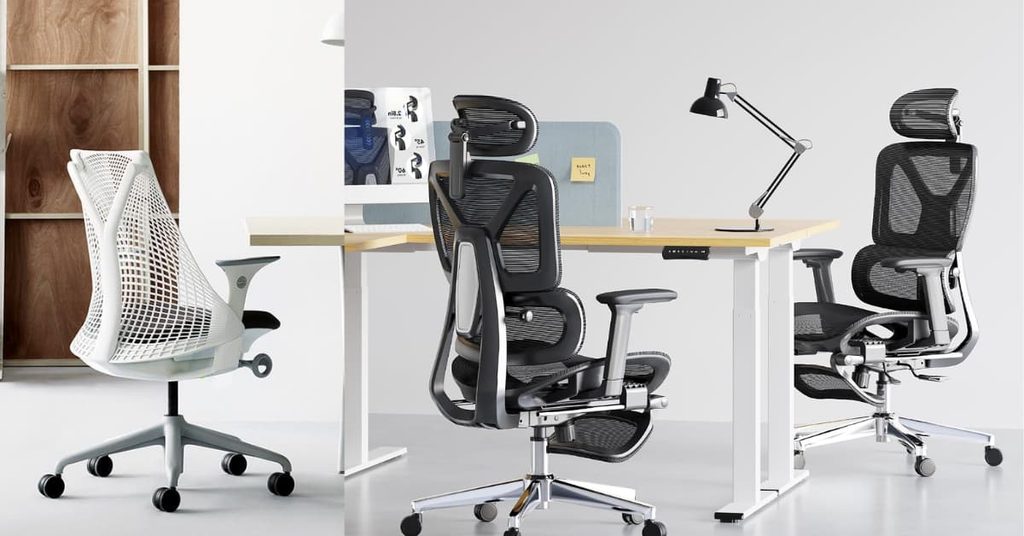
A chair that “looks ergonomic” isn’t the same as a chair engineered for back pain. Most office chairs bolt a curved foam pad where your spine should flex, and that pad stops helping the moment you lean forward to type or twist to grab a second monitor. The chairs below use one of three real mechanisms instead: fixed adjustable lumbar you dial in once, dynamic lumbar that moves with your recline, or fully self-adjusting lumbar that reads your weight and shifts on its own. That distinction, more than price, is what separates a chair that actually helps back pain from one that just claims to.
If you’re not sure your budget stretches to genuine lumbar engineering, our best affordable ergonomic chair for home office guide covers the cost-first alternatives. And if the chair is one piece of a bigger overhaul, our how to set up a home office guide covers the rest of the setup.
Affiliate disclosure: SmartVentureHub is reader-supported. When you buy through links on this page, we may earn an affiliate commission at no extra cost to you.
Our Top Picks at a Glance
| Award | Product | Lumbar Mechanism | Price Range | The Deciding Factor |
|---|---|---|---|---|
| Best Overall | SIHOO Doro C300 Pro V2 | Full-body adaptive, reads your posture | $400 – $500 | 8D armrests, 135-degree recline |
| Best Flexible-Spine Design | Herman Miller Sayl | Frameless suspension back, no lumbar dial | $550 – $650 | Arrives fully assembled, 12-year warranty |
| Best for Average-Height Frames | Branch Verve Chair | Contoured, height-adjustable | $580 – $680 | 7-year warranty, fits 5′ to 6′ |
| Best Premium Pick | Steelcase Leap | Dynamic LiveBack, flexes with movement | $1,350 – $1,550 | 12-year warranty, 400 lb capacity |
| Best Value in This Tier | FlexiSpot ErgoX Premium | Dynamic, height and depth adjustable | $300 – $400 | Recline and tilt under $400 |
| Best for Long Sitting Sessions | Steelcase Gesture | Height-adjustable, weight-activated recline | $1,450 – $1,650 | 360-degree arms, 400 lb capacity |
| Best for Full Adjustability | Eurotech Ergohuman ME7ERG GEN2 | Height-adjustable, synchro-tilt | $750 – $850 | 8-point adjustment, lifetime frame coverage |
1. SIHOO Doro C300 Pro V2 – Best Overall

| Feature | Specification Details |
|---|---|
| Physical Dimensions | Seat width 20.5 in, seat depth 16.9 – 18.5 in, backrest height 20.5 – 23.6 in |
| Warranty Length | 3 years |
| Box Contents | Chair, 8D armrests, assembly hardware and Allen key |
| Weight Capacity | 330 lbs |
The Doro C300 Pro V2’s “full-body adaptive” back reads your weight and shifts its support automatically as you recline, instead of requiring you to dial in lumbar height by hand. That self-adjusting mechanism is normally reserved for four-figure chairs like the Steelcase Leap and Gesture further down this list, which is why it’s the overall pick here rather than either of them: the same working principle, without the premium price tag. The 8D armrests move in eight directions, which covers keyboard, mouse, and reading postures without needing three different chairs. At 135 degrees, the recline range beats every other pick here except the two Steelcase models. The tradeoff for the price is the warranty: 3 years is short next to the Leap’s or Sayl’s 12, and SIHOO doesn’t have decades of owner-report data the way Steelcase and Herman Miller do.
Pros
- ✓ Self-adjusting lumbar without the four-figure price
- ✓ 8D armrests cover more postures than fixed-arm chairs
- ✓ 135-degree recline, among the deepest here
- ✓ 330 lb weight capacity
- ✓ Strong early owner ratings for a newer chair line
Cons
- × 3-year warranty, shortest of the adaptive-lumbar picks
- × Newer brand with less long-term owner data
- × Assembly required, unlike the Sayl
Buy This If: you want self-adjusting lumbar support without spending four figures. Skip This If: warranty length matters more to you than mechanism. The Branch Verve covers 7 years.
2. Herman Miller Sayl – Best Flexible-Spine Design

| Feature | Specification Details |
|---|---|
| Physical Dimensions | 24.5 in W, 19.75 in D, height range 34.75 – 39.25 in |
| Warranty Length | 12 years |
| Box Contents | Arrives fully assembled, no tools required |
| Weight Capacity | 350 lbs |
The Sayl skips a lumbar dial entirely. Instead, its frameless elastomer back stretches and flexes on its own, encouraging small, constant shifts in posture rather than locking your spine into one position. That’s a genuinely different approach from every other chair on this list, and it works well for people whose back pain gets worse from staying still, not from a lack of support. Seat depth adjusts 2 inches, which is a narrower range than the Leap or Verve. It arrives fully assembled, which is rare at this price and worth factoring into the value if you’ve ever spent an hour building a chair. The one recurring complaint in owner reviews: the mesh back can feel too soft for anyone who prefers firm, locked-in support.
Pros
- ✓ Frameless back encourages movement instead of resisting it
- ✓ Arrives fully assembled, no setup required
- ✓ 12-year warranty
- ✓ Lightest chair in this lineup at 54 lbs
- ✓ Recognizable, resale-friendly design if you ever upgrade
Cons
- × No adjustable lumbar dial for people who want fixed support
- × Seat depth range is narrower than most picks here
- × Mesh back reported as too soft for firm-support preferences
Buy This If: your back pain worsens from sitting still, and you want a chair that encourages small movements. Skip This If: you specifically need a dial-in lumbar bump. The SIHOO Doro C300 Pro V2 or the Leap give you that control.
3. Branch Verve Chair – Best for Average-Height Frames

| Feature | Specification Details |
|---|---|
| Physical Dimensions | 27 in W, 27 in D, seat height 16.5 – 20.5 in |
| Warranty Length | 7 years |
| Box Contents | Chair, armrests, base, and Allen key. Requires assembly |
| Weight Capacity | 275 lbs |
Branch built the Verve specifically for the 5-foot-to-6-foot range, and it shows in how the proportions feel compared to chairs designed around a taller average. The contoured, height-adjustable lumbar sits lower on the backrest than most competitors, which matches where lower-back pain actually concentrates for shorter frames. The high-density foam cushion holds its shape longer than the softer foam in cheaper chairs, a detail that matters more for back pain than most buyers realize since a seat that sinks changes your hip angle and pulls on the lower back. The 275 lb weight capacity is the lowest of the premium picks here, and taller users report the fixed height range tops out sooner than the Leap or Gesture.
Pros
- ✓ Proportions built around 5′ to 6′ frames specifically
- ✓ High-density foam resists sagging longer than budget cushions
- ✓ 7-year warranty
- ✓ Height-adjustable lumbar sits at a lower-back-specific position
- ✓ Amazon’s Choice with strong early sales volume
Cons
- × Lowest weight capacity of the premium picks, 275 lbs
- × Fixed size range tops out for users over 6’2″
- × Requires assembly
Buy This If: you’re between 5′ and 6′ tall and want a chair proportioned for that range specifically. Skip This If: you’re over 6’2″ or need a 300+ lb weight rating. The Steelcase Gesture fits both better.
4. Steelcase Leap – Best Premium Pick

| Feature | Specification Details |
|---|---|
| Physical Dimensions | 27 in W, 21.75 – 24.75 in D, seat height 15.5 – 20.5 in |
| Warranty Length | 12 years, parts and labor, multi-shift/24-7 use covered |
| Box Contents | Single unit, no additional accessories |
| Weight Capacity | 400 lbs |
If the SIHOO Doro C300 Pro V2’s self-adjusting principle sold you but you want a deeper track record and a longer warranty behind it, this is that chair. The Leap’s LiveBack technology is a spine-shaped frame that flexes independently at the upper and lower back as you move, instead of a single rigid pad, and it’s the core reason spine specialists keep naming it in back-pain roundups: it doesn’t stop supporting you the moment you lean forward. The seat depth adjusts 3 inches to keep pressure off the back of your knees, and the lumbar height dials in separately from the recline tension. At 27 inches wide, it’s not the roomiest chair here, and the price puts it well past what most home offices budget for a desk chair. Long-term owner reports point to one recurring failure point: the seat foam softens noticeably around the 6 to 8 year mark on daily-use chairs, well within the warranty window but worth knowing before you buy refurbished.
Pros
- ✓ LiveBack flexes with your spine instead of staying rigid
- ✓ 12-year warranty covers parts and labor on 24/7 use
- ✓ Seat depth and lumbar height adjust independently
- ✓ 400 lb weight capacity, among the highest here
- ✓ Widely stocked, easy to find replacement parts
Cons
- × Most expensive pick in this roundup
- × 27 in width is tight for larger frames
- × Seat foam reports softening after 6+ years of daily use
Buy This If: you sit 8+ hours a day and want the chair with the most third-party spine-specialist endorsements. Skip This If: premium pricing is out of reach. The SIHOO Doro C300 Pro V2 gets you a self-adjusting lumbar for a fraction of the cost.
5. FlexiSpot ErgoX Premium – Best Value in This Tier

| Feature | Specification Details |
|---|---|
| Physical Dimensions | Chair height 46.5 – 49.6 in, armrest height (lowest) 23.6 in |
| Warranty Length | Not published by manufacturer |
| Box Contents | Chair, footrest, armrests, and assembly hardware |
| Weight Capacity | 4000 lbs |
The ErgoX Premium is the entry point into genuine dynamic lumbar support rather than the fixed foam pads on budget chairs. The lumbar and backrest move together through the recline, and the seat depth adjusts to keep the front edge off the back of your knees, a detail cheaper chairs skip entirely. It’s Amazon’s “Overall Pick” in its category, and the 411 ratings back that up. The gap between this chair and everything else here is documentation: FlexiSpot doesn’t publish a clear weight capacity or warranty term on the listing itself, and third-party reviews put the warranty somewhere between 1 and 10 years depending on which component you’re asking about. That’s worth a direct question to FlexiSpot support before you buy if warranty length is a dealbreaker for you.
Pros
- ✓ Dynamic lumbar and recline at a real budget-friendly price
- ✓ Seat depth adjustment, uncommon at this price
- ✓ Comes with a built-in footrest
- ✓ Strong rating volume for a newer listing (411 ratings)
- ✓ Cheapest way into genuine dynamic lumbar on this list
Cons
- × Warranty term not published on the listing or product page
- × Weight capacity not published, worth confirming before ordering if you’re a larger user
- × Fewer long-term owner reports than the established brands here
Buy This If: you want real dynamic lumbar support without paying premium prices. Skip This If: an unpublished warranty is a dealbreaker. The Branch Verve’s 7-year term is confirmed in writing.
6. Steelcase Gesture – Best for Long Sitting Sessions

| Feature | Specification Details |
|---|---|
| Physical Dimensions | 22.4 – 34.6 in W (arms extended), 21 – 23.6 in D |
| Warranty Length | 12 years, parts and labor, multi-shift/24-7 use covered |
| Box Contents | Single unit, no additional accessories |
| Weight Capacity | 400 lbs |
The Gesture was designed around how people actually sit with a laptop and a phone, not just a keyboard, so the 360-degree arms move to support your forearms in a dozen different postures instead of one fixed typing position. That matters for back pain because a lot of lower-back strain starts in the shoulders and upper back from reaching for a device at the wrong angle. The backrest itself uses a lower-back-specific recline that keeps lumbar contact even as you tip back. It’s the heaviest and widest chair in this lineup once the arms are extended, so measure your desk clearance before ordering. Owner reports single out the arm mechanism as the part most likely to develop play or wobble after a few years of heavy adjustment.
Pros
- ✓ 360-degree arms track your arm position, not just height
- ✓ Backrest keeps lumbar contact through the full recline range
- ✓ 12-year warranty, same coverage as the Leap
- ✓ 400 lb weight capacity
- ✓ Built for switching between laptop, phone, and monitor setups
Cons
- × Widest footprint here once arms are extended
- × Priciest pick in the roundup alongside the Leap
- × Arm mechanism reported to loosen after years of heavy use
Buy This If: you split your day between a laptop, a monitor, and your phone, and shoulder strain feeds your back pain.Skip This If: you work from one fixed keyboard position all day. The Leap’s simpler arm design is less to maintain.
7. Eurotech Ergohuman ME7ERG GEN2 – Best for Full Adjustability

| Feature | Specification Details |
|---|---|
| Physical Dimensions | 26.2 in W, 26.6 in D, seat height 17.8 – 21.4 in |
| Warranty Length | Lifetime on components, 5 years on upholstery, original owner only |
| Box Contents | Chair, headrest, and assembly hardware |
| Weight Capacity | 275 lbs |
If you want to independently adjust more points of contact than any other chair here, the Ergohuman GEN2 is the one to buy. Seat height, seat depth, back height, back angle, tilt tension, and arm height all move separately, which lets you dial in a setup around a specific injury or a pain point most all-in-one recline mechanisms can’t target. The synchro-tilt keeps your feet flat and your lumbar in contact as you recline, rather than tipping you forward the way simpler tilt mechanisms do. Eurotech’s lifetime component warranty is unusual for this price tier, though it’s original-owner-only and the upholstery itself is capped at 5 years. The mesh seat runs firmer than the SIHOO or FlexiSpot picks, which some owners with tailbone sensitivity report as uncomfortable during long sessions.
Pros
- ✓ Eight independent adjustment points, the most here
- ✓ Synchro-tilt keeps lumbar contact through the recline
- ✓ Lifetime component warranty for the original owner
- ✓ Firmer mesh holds its shape longer than foam
- ✓ Headrest included standard, not an upsell
Cons
- × 275 lb weight capacity, same as the Verve
- × Firmer seat reported as uncomfortable for tailbone-sensitive users
- × Warranty is original-owner-only, doesn’t transfer on resale
Buy This If: you want to fine-tune more adjustment points than a standard chair offers. Skip This If: you prefer a softer seat. The SIHOO Doro C300 Pro V2’s cushion runs noticeably plusher.
Does an Expensive Chair Actually Fix Back Pain?
Adjustability matters more than price for back pain relief, and every spine specialist and occupational therapist cited across major buying guides makes the same point: an expensive chair set up wrong helps less than a modest one set up right. What the extra money buys isn’t comfort in the padding sense, it’s more independent adjustment points and a lumbar mechanism that keeps working as you move instead of only when you sit perfectly still. The Leap and Gesture earn their premium price by flexing with your spine through every posture change. But the SIHOO Doro C300 Pro V2 uses that same self-adjusting principle at a fraction of the cost, which is why it’s the top pick here, not a budget-tier chair with a fixed foam pad glued into the backrest.
The honest caveat, echoed by every physical therapist quoted in the competing guides we reviewed: no chair alone resolves chronic back pain. Frequent position changes, a properly set monitor height, and getting up every 45 to 60 minutes matter as much as the chair itself.
Fixed vs. Adjustable vs. Self-Adjusting Lumbar Support
These are the three mechanisms you’ll see across every chair marketed for back pain, and they’re not interchangeable.
Fixed lumbar is a foam curve built into the backrest at one height and one firmness. It’s cheap to manufacture, and it only helps if your spine’s natural curve happens to match where the foam sits. Most budget chairs use this.
Adjustable lumbar, like the Branch Verve’s, lets you move the support up, down, or in and out by hand until it matches your spine. You set it once and it stays put through normal use. This is the minimum worth buying if back pain is the reason you’re shopping.
Self-adjusting lumbar, used by the Leap, Gesture, and SIHOO Doro C300 Pro V2, reads your weight distribution and shifts automatically as you recline or lean. You don’t have to remember to readjust it after every posture change, which matters most for people whose pain flares from staying static rather than from poor initial setup.
How to Set Up Any Office Chair to Reduce Back Pain
The chair matters less than how it’s set up. Start with seat height: your knees should sit level with or slightly below your hips, feet flat on the floor. If your desk is a fixed height and your feet dangle once the chair’s at the right level, a footrest or one of our best home office desks with height adjustment solves it faster than a new chair does.
Next, seat depth. Leave two to three finger-widths of gap between the front edge of the seat and the back of your knees. Too deep and the edge presses into your knees; too shallow and you lose lower-back support entirely.
Recline tension comes last. A slight recline, around 100 to 110 degrees, takes pressure off your lower spine compared to sitting bolt upright. Every pick in this roundup adjusts tension separately from lumbar height, so don’t leave it at the factory default.
Three Things Back-Pain Chair Buyers Regret
Sizing. The Branch Verve is built for 5′ to 6′ frames specifically. Buy it outside that range and you lose the exact proportioning that makes it worth the price over a generic chair. Check the seat height range against your desk before ordering, not after.
Ongoing cost. None of these chairs need consumables, but casters wear out on hardwood floors faster than owners expect, especially under the heavier Steelcase models. Budget for a caster swap around year three if you’re on hard flooring, and pair the chair with one of our standing desk anti-fatigue mats if you alternate between sitting and standing.
What’s not included. Headrests are standard on the Ergohuman and optional or absent on several others. If neck strain feeds into your upper-back pain, confirm the specific listing includes one before you check out. A new chair also tends to expose how tangled the cables under your desk already are; our cable management solutions for home office desks guide is worth a look while you’re at it.
Products We Considered But Didn’t Include (And Why)
X-Chair X4. Frequently cited in competing back-pain roundups for its self-adjusting Dynamic Variable Lumbar, but we couldn’t find a live, in-stock listing on amazon.com at the time of writing. X-Chair’s direct-to-consumer model means most of its inventory sells through its own site, not Amazon, so it doesn’t clear this site’s US-marketplace verification rule.
Steelcase Series 2. A genuinely strong weight-activated lumbar chair at a lower price than the Leap, but it duplicates the Leap’s mechanism at a smaller feature set, and we’d rather send readers to the FlexiSpot ErgoX Premium or SIHOO Doro C300 Pro V2 for a true budget-tier alternative with a different design approach.
Frequently Asked Questions
Is a premium office chair actually worth it for back pain? Only if you sit long hours daily and the chair’s mechanism, not just its price, matches your specific pain pattern. The Steelcase Leap and Gesture justify their cost with dynamic lumbar systems and 12-year warranties, but a budget-friendly chair with genuine adjustable lumbar, like the FlexiSpot ErgoX Premium, addresses the same core problem for a fraction of the price.
Does mesh or foam matter more for lower back pain? The lumbar mechanism matters more than the material. Mesh breathes better and resists sagging longer, which several picks here use (SIHOO, Ergohuman). Foam, like the Branch Verve’s high-density cushion, holds a firmer shape under sustained pressure. Neither material fixes poor lumbar support on its own.
How long before a new ergonomic chair helps with back pain? Most users report a noticeable difference within one to two weeks of correct setup, according to owner reports across the chairs in this roundup. If pain persists past a month with the chair properly adjusted, the chair likely isn’t the cause.
Can a chair alone fix chronic back pain, or do I need to see a doctor? A chair can reduce strain from prolonged sitting, but it doesn’t treat an underlying condition. If pain is severe, radiates down a leg, or doesn’t improve with a better chair and regular movement breaks, see a doctor or physical therapist rather than buying a second chair.
What’s the difference between lumbar support and a lumbar pillow? Built-in lumbar support, like the mechanisms in every chair above, is part of the chair’s frame and adjusts with the recline. A lumbar pillow is an add-on cushion that stays in one fixed position regardless of how you move, which makes it a weaker fix for pain that changes with posture.
Conclusion
The SIHOO Doro C300 Pro V2 is the chair to buy for most people with back pain, because it gives you a genuinely self-adjusting lumbar mechanism without the four-figure price. If budget isn’t the deciding factor and you want the deepest track record behind that same principle, the Steelcase Leap is the upgrade, and the Branch Verve is worth the extra spend if you’re within its 5-to-6-foot design range. Whichever you pick, set the seat depth and recline tension correctly before deciding the chair isn’t working. And if the pain persists past a few weeks of correct setup, that’s a conversation for a doctor, not a return request.
